Music
ElevenLabs Music v2.5PromptWarm lo-fi hip hop. Dusty drums, soft electric piano chords, vinyl crackle. Background music for working late at night
Audio
FastMetal Audio is an AI music generator and sound effects generator that makes instrumental tracks without vocals, and sound effects. For music, write the mood. For a sound effect, write the scene you want to hear. Choose a track length such as 30 or 60 seconds, and a take is usually ready within a minute. The price is shown on the generate button, so you can check it before you generate.

Each sample lists the text that was entered and the model (the music prompt is shortened). Press play to hear the generated sound as it is.
ElevenLabs Music v2.5PromptWarm lo-fi hip hop. Dusty drums, soft electric piano chords, vinyl crackle. Background music for working late at night
Mirelo SFX 2.0PromptA heavy wooden door slowly creaking open in a quiet stone corridor
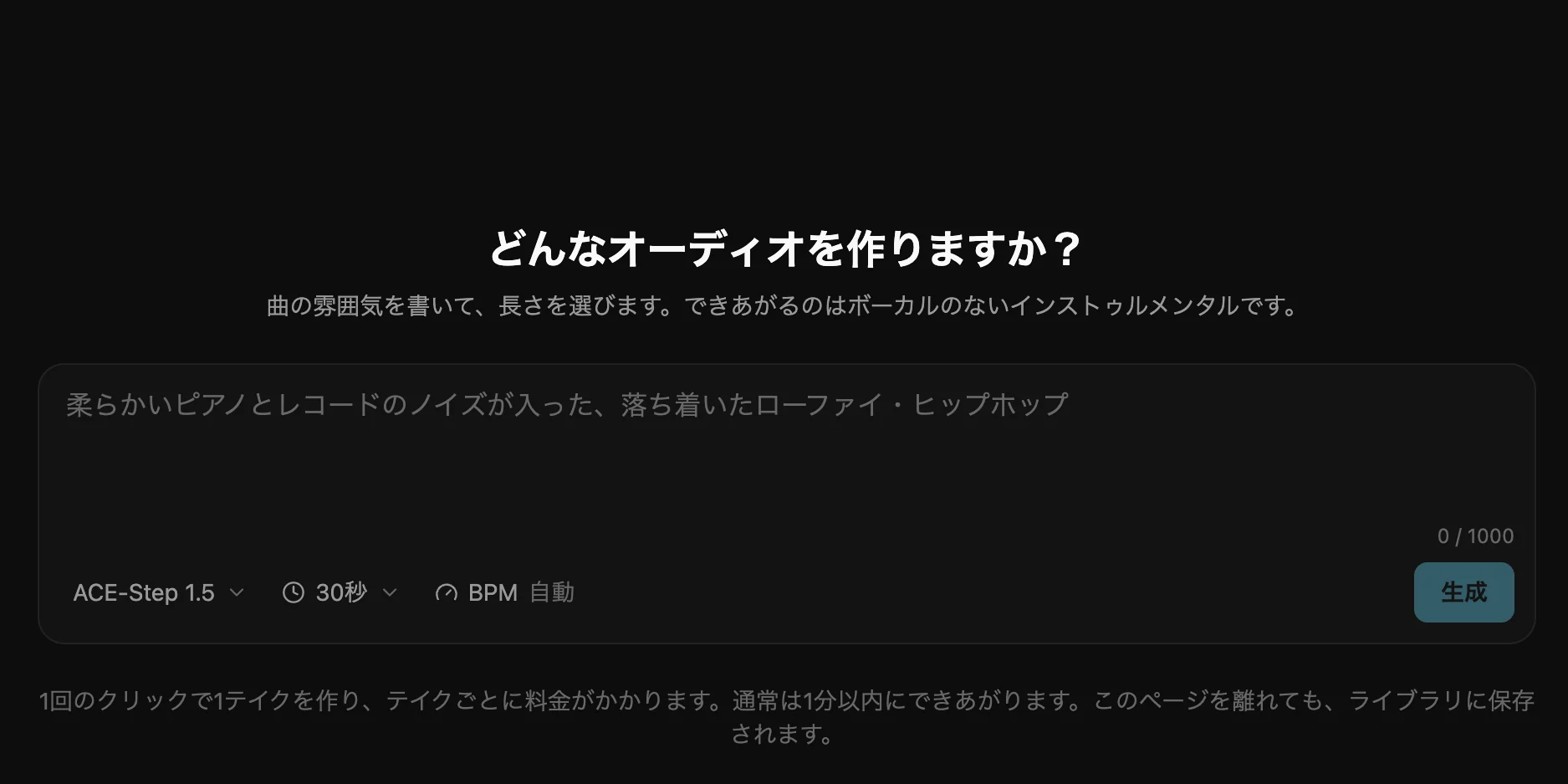
On the Music screen, you write the mood of the track, choose a length and generate. The result is an instrumental track without vocals.
You can pick the model from ACE-Step 1.5 and ElevenLabs Music. Track length is 30, 60 or 90 seconds with ACE-Step 1.5, and about 30 or about 60 seconds with ElevenLabs Music. With ACE-Step 1.5 you can also set the tempo in BPM.
Each generation makes one take and usually finishes within a minute. You can change the mood, generate a few takes and compare them.
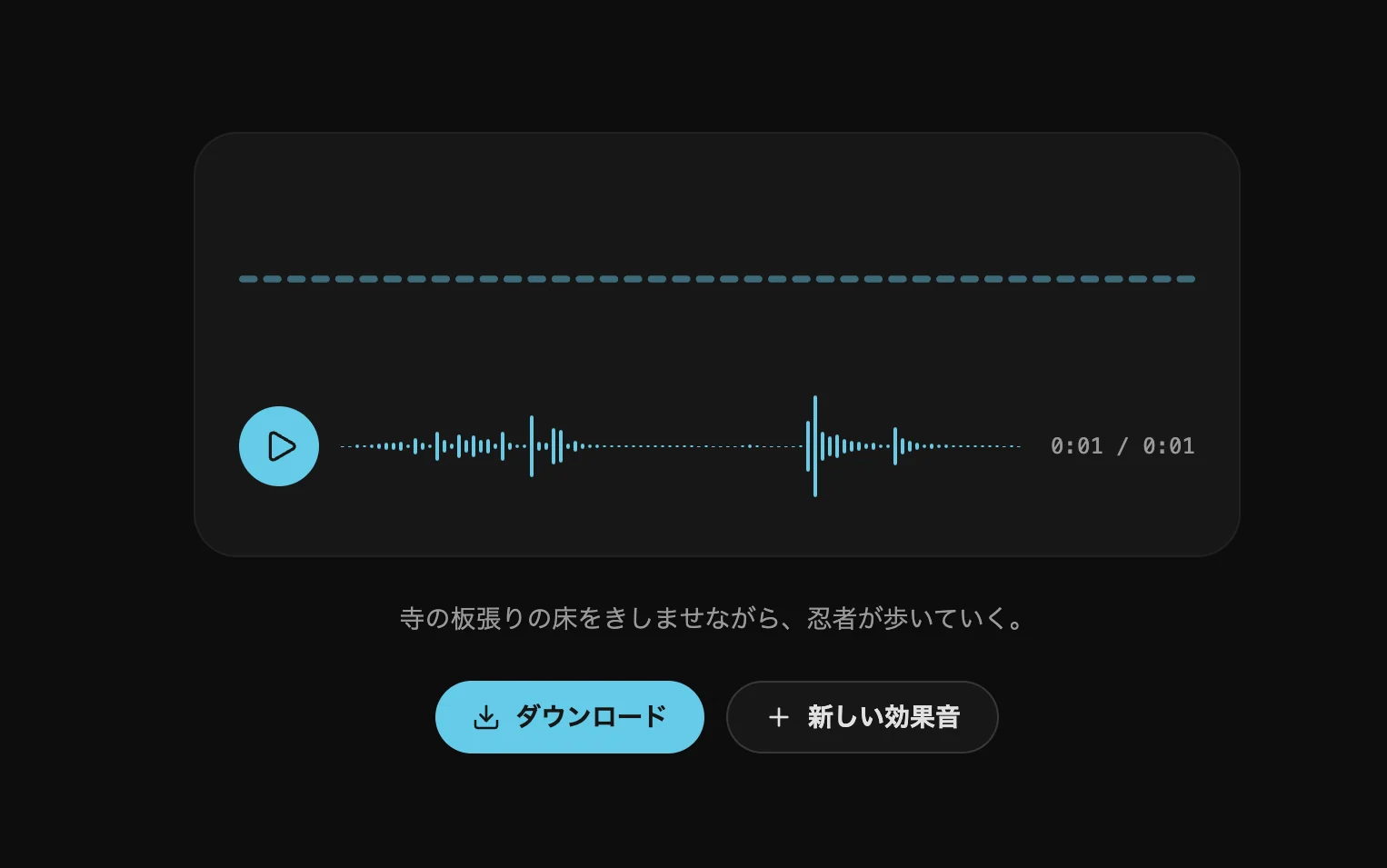
On the Sound effects screen, you write the scene you want to hear, choose a length between 1.5 and 6 seconds and generate. The example on screen is 'A ninja walks across the creaking wooden floor of a temple.'
You can play the finished sound effect on the spot and download it as an MP3. Generated sound effects line up as a history on the right side of the screen.
You can pick the model from Mirelo SFX and ElevenLabs Sound Effects. You can also prepare sound effects for videos made in Video Studio on the same account.
Generated tracks and sound effects download as MP3 and load into video editing software.
Generate the effect each scene needs one at a time from a description, such as a door opening or footsteps on a creaking floor.
Write where it will play, the genre and the mood, as in 'background music for working late at night'. With ACE-Step 1.5 you can make tracks up to 90 seconds long.
Prepare background music and sound effects for a video made in Video Studio in Audio, on the same account. Both come out of the same prepaid balance.
Generated tracks and sound effects are saved to your Library even if you leave the page. In the Library you can filter by Audio.
Audio is pay as you go. Music is priced per track (one take) and sound effects per clip. The amount depends on the model and the length, and it is shown on the generate button, so you can check it first.
It is deducted from the same prepaid balance as Image Studio and Video Studio, and your balance is the upper limit on what you can spend. Prices for each model are on the pricing page. New accounts on this site are billed in US dollars by default, and a yen account is also possible.
See pricingFastMetal Audio makes two kinds of sound: instrumental tracks without vocals, and sound effects. For a track, write the mood and choose a length. For a sound effect, write the scene you want to hear.
Usually under a minute. Music makes one take per generation. If you leave the page while it generates, the finished sound is saved to your Library.
As of November 2026, music uses ACE-Step 1.5 and ElevenLabs Music, and sound effects use Mirelo SFX and ElevenLabs Sound Effects.
It is deducted from the same prepaid balance as images and video. Music is priced per track (one take) and sound effects per clip, and the amount is shown on the generate button before you generate. You can add balance by card. Yen accounts can also add balance by bank transfer and get a Japanese qualified invoice for each purchase.
Create an account and add balance, and you can use Audio. Image Studio, Video Studio and chat work on the same account.